Microsoft Flight Simulator
The Microsoft Flight Simulator action type is the preferred way to send events to Microsoft Flight Simulator 2020 and 2024. It provides access to over 20,000 presets from HubHop to interface with nearly every aircraft supported by the simulator.
Tip
To update the HubHop event list, select the Download Latest Presets menu item from the Extras > HubHop menu.
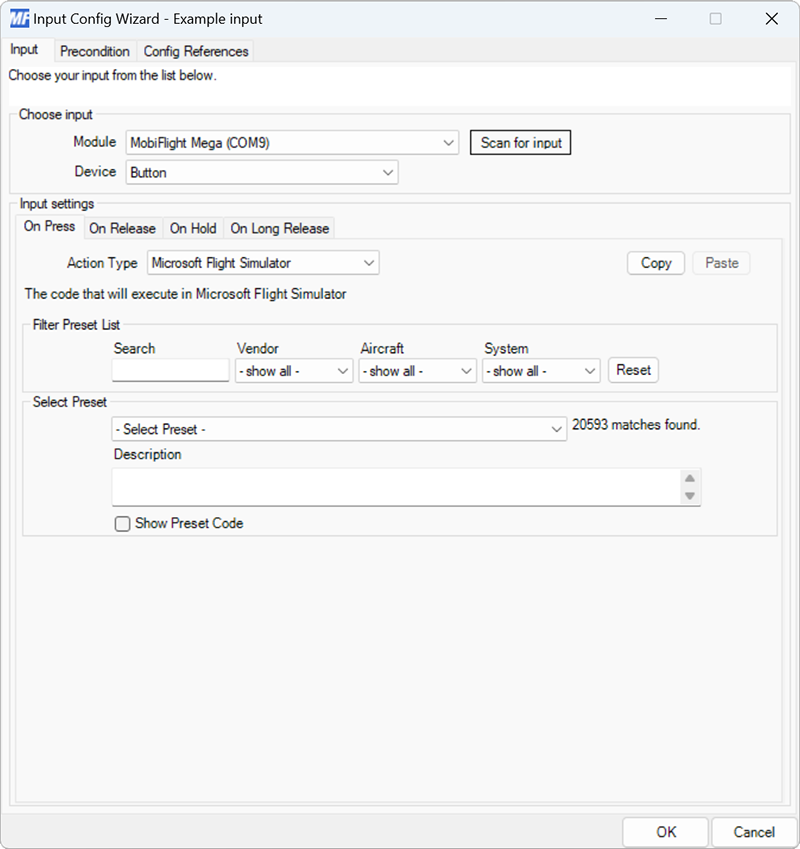
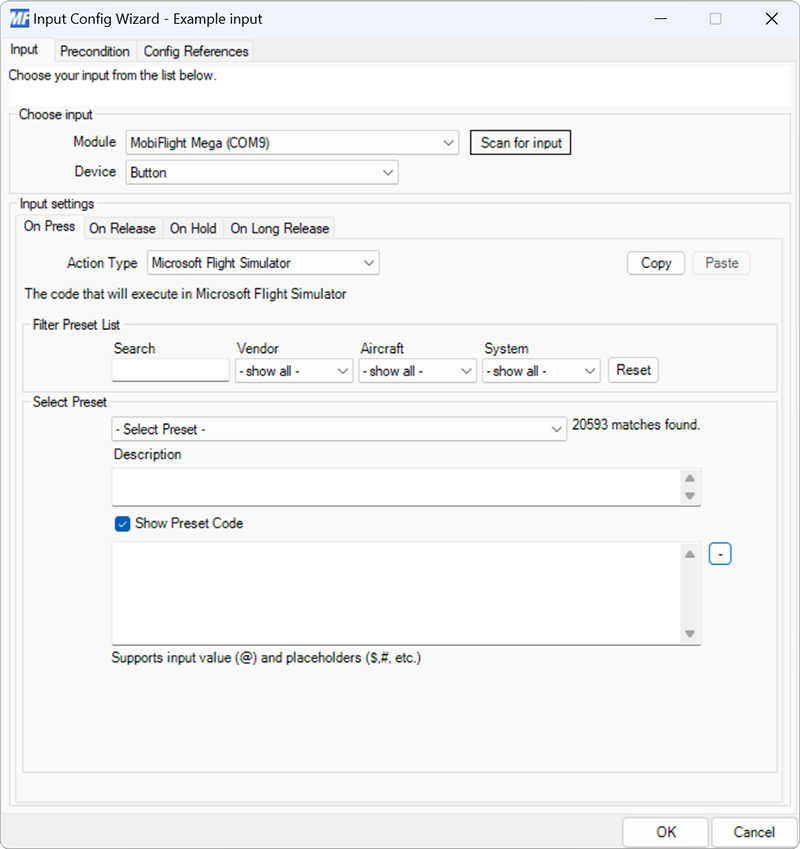
| Setting | Description |
|---|---|
| Search | Provides text filtering of the HubHop presets. |
| Vendor | Filters the list of HubHop presets by the aircraft vendor. |
| Aircraft | Filters the list of HubHop presets by the aircraft name. |
| System | Filters the list of HubHop presets by the aircraft system. |
| Select Preset | Selects the preset to send when the input action is triggered. |
| Description | Displays the preset description from HubHop. |
| Show Preset Code | Shows the preset code and enables editing the code to create a custom input event. |
| + | Expands the preset code text box to enable multi-line editing. |
Tip
To enter custom event code, check the Show Preset Code box and enter the code in the preset code text box. There is no need to select any values from the HubHop filtering dropdowns.